Desktop app / Tags and releases
Tags and releases
List the tags of a repository, see which ones are on origin, and create annotated release tags with a suggested version, optionally pushed.
Tags mark releases. The Tags page lists them with their commit, date and message, tells you which ones exist only on your computer, and creates new ones. Open it from Tags in the navigation.
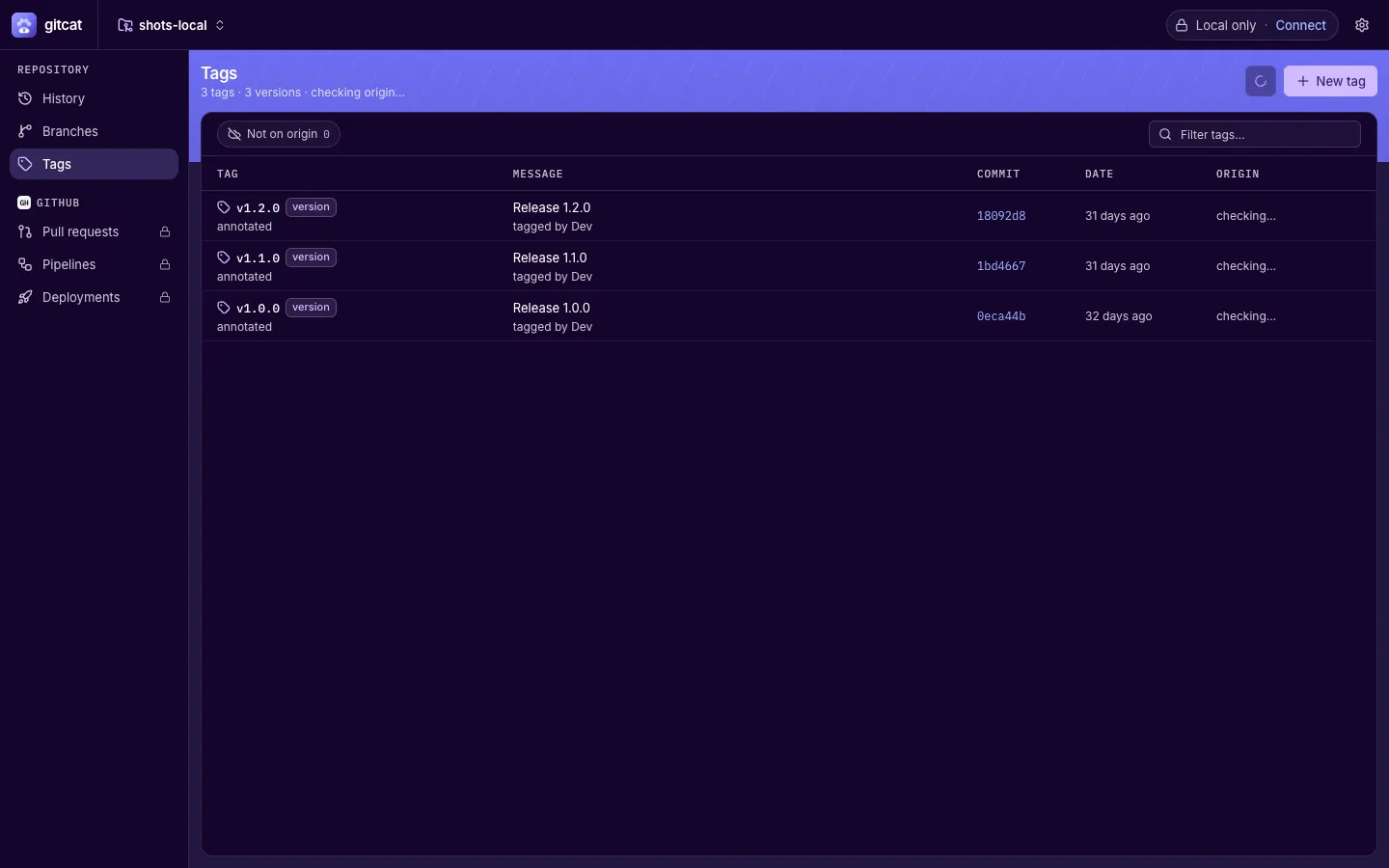
The Tags page: which tags are releases, and which are not pushed yet.
The tag list
The header counts the tags, the version tags among them and the tags that are not on origin.
| Column | What it shows |
|---|---|
| Tag | The name. version marks names like v1.4.0 or 2.0.1-rc.1. Below the name: annotated (the tag has its own author, date and message, recommended for releases) or lightweight (just a name for a commit). |
| Message | The first line of the tag message, or of the commit message for a lightweight tag. |
| Commit | The short SHA, with Copy SHA on hover. |
| Date | The tag date for annotated tags, the commit date for lightweight ones. |
| Origin | on origin, or local only with a Push button. |
The Not on origin chip shows only the tags that are not pushed; the search box (Filter tags…) filters by name.
To know which tags are on origin, mergecat asks the remote when the page opens. Check origin again (the refresh button) asks again. If the remote cannot be reached, the page says so and lists the local tags.
Show the history of a release
Hover over a tag and click its history button (Show the history up to this tag). The History page opens on that tag. Combine it with Compare with… to see what a release contains: see Compare two releases.
Tags also appear as chips on the rows of the History page, in the list and in the graph.
Create a tag
Open the New tag dialog from:
| Where | Target proposed |
|---|---|
| New tag on the Tags page | The branch analysed on the History page. |
| Create tag here on a row of the History page (list or graph) | That commit. |
| Create tag at head… in the row menu of the Branches page | The newest commit of that branch. |
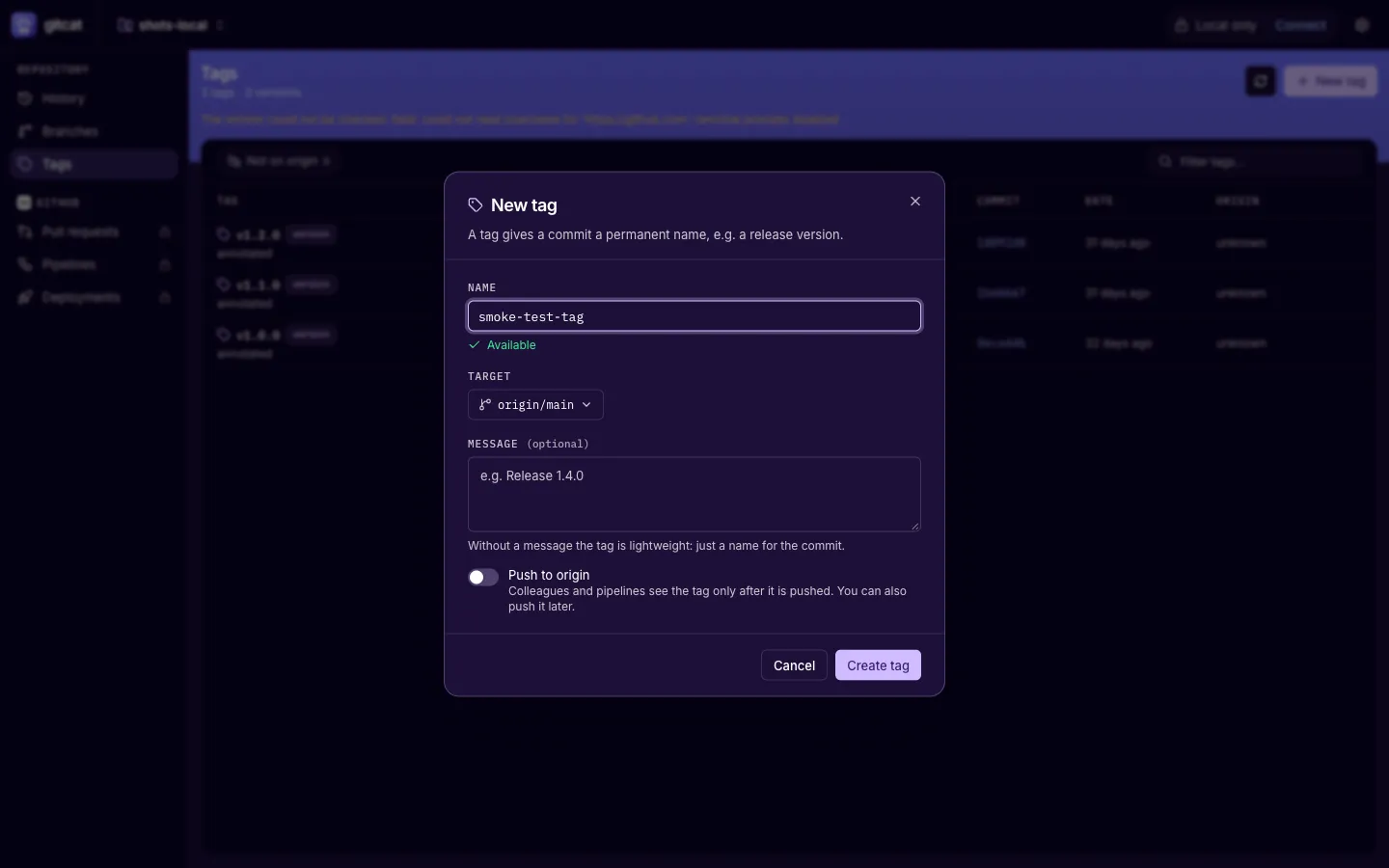
The New tag dialog suggests the next version.
Name the tag
Type a name in Name. mergecat checks it while you type and says Available, or why the name cannot be used: it already exists, starts with -, or contains characters Git does not allow in tag names (spaces, .., ~, ^, :, ?, *, [ or \).
If the repository has version tags such as v1.3.2, Next version suggests the next patch, minor and major versions (v1.3.3, v1.4.0, v2.0.0), keeping the v prefix if your tags use one. Click a suggestion to use it.
Check the target
Target is the commit, branch or tag the new tag points to. Change it with the picker if needed.
Add a message
A Message makes the tag annotated: Git stores your name, the date and the message with it, which is recommended for releases. Without a message the tag is lightweight. The tagger is your Git identity (user.name and user.email).
Push or keep it local
Turn on Push to origin to push the tag right away; colleagues and pipelines only see a tag after it is pushed. The switch is disabled when the repository has no remote. Click Create and push, or Create tag to keep it on your computer.
If the push fails, the tag is still created locally and mergecat tells you why the push failed. A tag that is only local can be pushed later with the Push button on the Tags page.
Pushing runs git push with your Git credentials (your credential helper), to origin or, without origin, the first remote. mergecat does not ask for a password.