Getting started / Introduction
Introduction
mergecat shows what entered a Git branch and when, grouped by integration like TFS changesets, and follows every change from the branch to the deployment.
mergecat groups the Git history of a branch by integration, the way TFS and TFVC showed changesets. You see what entered main (or any branch), when, through which pull request, and later which environment runs it. It works on any local repository, offline, and reads by default.
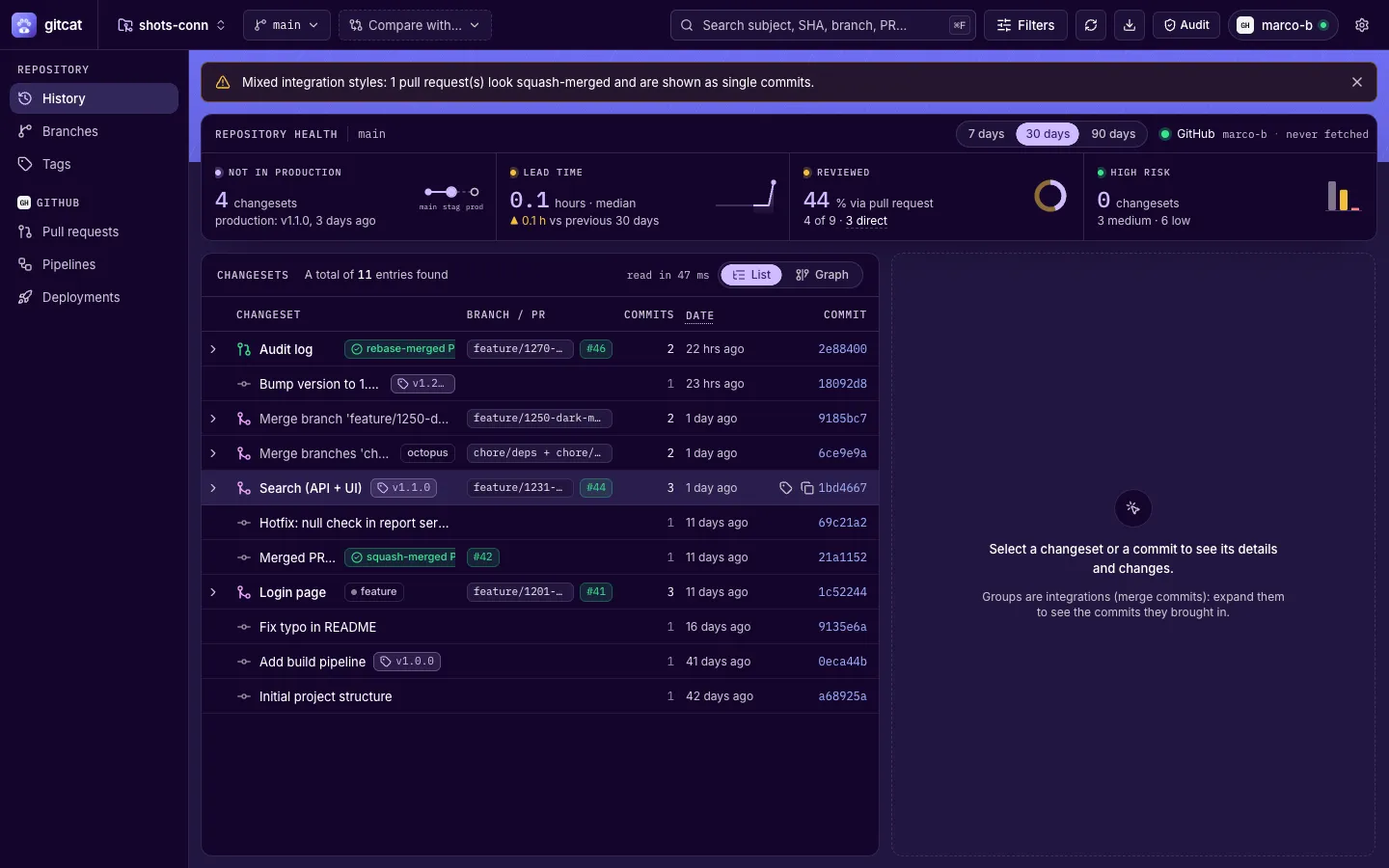
The History page of the desktop app, connected to GitHub.
The problem
git log on main interleaves the commits of every feature branch. After a few merges you can no longer tell which commits belong together, which branch brought them in, or when they actually reached main. Teams coming from Team Foundation Server miss the changeset view: one row per check-in, with everything it contained.
mergecat restores that view. It walks the first-parent history of the branch and shows:
- direct commits made on the branch, one row each;
- integrations (merge commits) as collapsible groups, with the commits they brought in and the name of the merged branch, even after the branch was deleted.
Connect GitHub, GitLab or Azure DevOps and mergecat adds what Git does not store: pull requests, squash and rebase merges, linked issues, pipelines and deployments. How mergecat works explains the grouping in detail.
Three ways to use it
A command-line tool exposes the same history, metrics and audit reports for scripts: see Command line.
Principles
Local first. mergecat reads the history from your clone with your own Git. Grouping, diffs, filters, exports, branches and tags work without any account or network connection. A connection to the hosting service is optional and only adds data.
Read-only by default. mergecat never commits, checks out, merges or rewrites anything. It writes only when you start an action yourself: Fetch, create or push a tag, create a pull request. Fetch and tag pushes use your Git credentials.
Your credentials stay on your computer. Tokens are encrypted with the system keychain; pull request data is cached in the app’s own data folder, never in the repository. mergecat talks to Git and, when you connect one, to your hosting service. See Local only vs connected.
Built for change audits
Knowing what entered a branch, who approved it and where it runs is the core of a change audit. mergecat turns that into a report.
EU AI Act and NIS2
The audit report lists every change of a range: who wrote it, who integrated it, whether it went through a pull request and who approved it, its risk factors and the environments that run it, with a SHA-256 fingerprint of the content. The Claude Code plugin records, once per session, whether you use a Claude Team or Enterprise account before it reads a repository. Read EU AI Act and NIS2 to see how these records support your documentation duties.