Connections / Connect GitHub
Connect GitHub
Connect mergecat to GitHub with Sign in with GitHub, the GitHub CLI or a personal access token, and set up the OAuth App an administrator registers once.
Connecting GitHub adds pull request titles, authors and links, names of deleted branches, squash and rebase merges, labels, linked issues, GitHub Actions and deployments to every repository on github.com. You sign in once; the connection applies to all your GitHub repositories.
Sign in
Open File › Connections… (or click Local only · Connect in the toolbar) and use one of the three options on the GitHub card.
Sign in with GitHub (recommended for organisations). mergecat copies a code to your clipboard and opens github.com in your browser, where your organisation’s single sign-on applies. Paste the code, authorise the app, and the card shows your account, “signed in with GitHub”. The app requests the scopes repo and workflow. This option needs the client ID of a GitHub OAuth App, entered once in Settings › GitHub OAuth App client ID (see Administrator setup). Without it the button is disabled and the card says so.
Use GitHub CLI login. If you already use the GitHub CLI and ran gh auth login, mergecat reuses that login: it asks gh for the token when needed and stores no copy of it. If you sign out of gh, GitHub shows as not connected the next time mergecat starts.
Use a personal access token. Paste a token and click Connect. Create a token opens GitHub’s token page with the scopes preselected. The token needs:
| Token type | Permissions |
|---|---|
| Classic | repo and workflow |
| Fine-grained | Read access to Contents, Pull requests, Actions and Deployments; Pull requests write to create pull requests |
The extension uses VS Code’s built-in GitHub sign-in: your GitHub account from the Accounts menu, including your organisation’s single sign-on. There is nothing to configure and no OAuth App to register. The token stays in VS Code.
Connect from the Connections view, the Local only · Connect pill in the Changesets header, or the command mergecat: Connect…. See VS Code extension.
Tokens are encrypted with the system keychain; see Where credentials are stored. To remove the connection, click Disconnect on the GitHub card.
Administrator setup: OAuth App
Sign in with GitHub in the desktop app needs a GitHub OAuth App with the device flow enabled. An organisation owner creates it once and shares its client ID. The client ID is not a secret, and no client secret is needed.
Create the OAuth App
In your GitHub organisation, open Settings › Developer settings › OAuth Apps and click New OAuth App.
Fill in the form
Choose a name your colleagues recognise, such as “mergecat”, and a homepage URL, for example your internal documentation. GitHub also requires an authorisation callback URL; the device flow does not use it, so the homepage URL works.
Enable the device flow
Check Enable Device Flow, then register the application.
Share the client ID
Copy the Client ID from the app’s page and give it to your colleagues. Each person enters it in Settings › GitHub OAuth App client ID, or you provide it through the environment variable MERGECAT_GITHUB_CLIENT_ID.
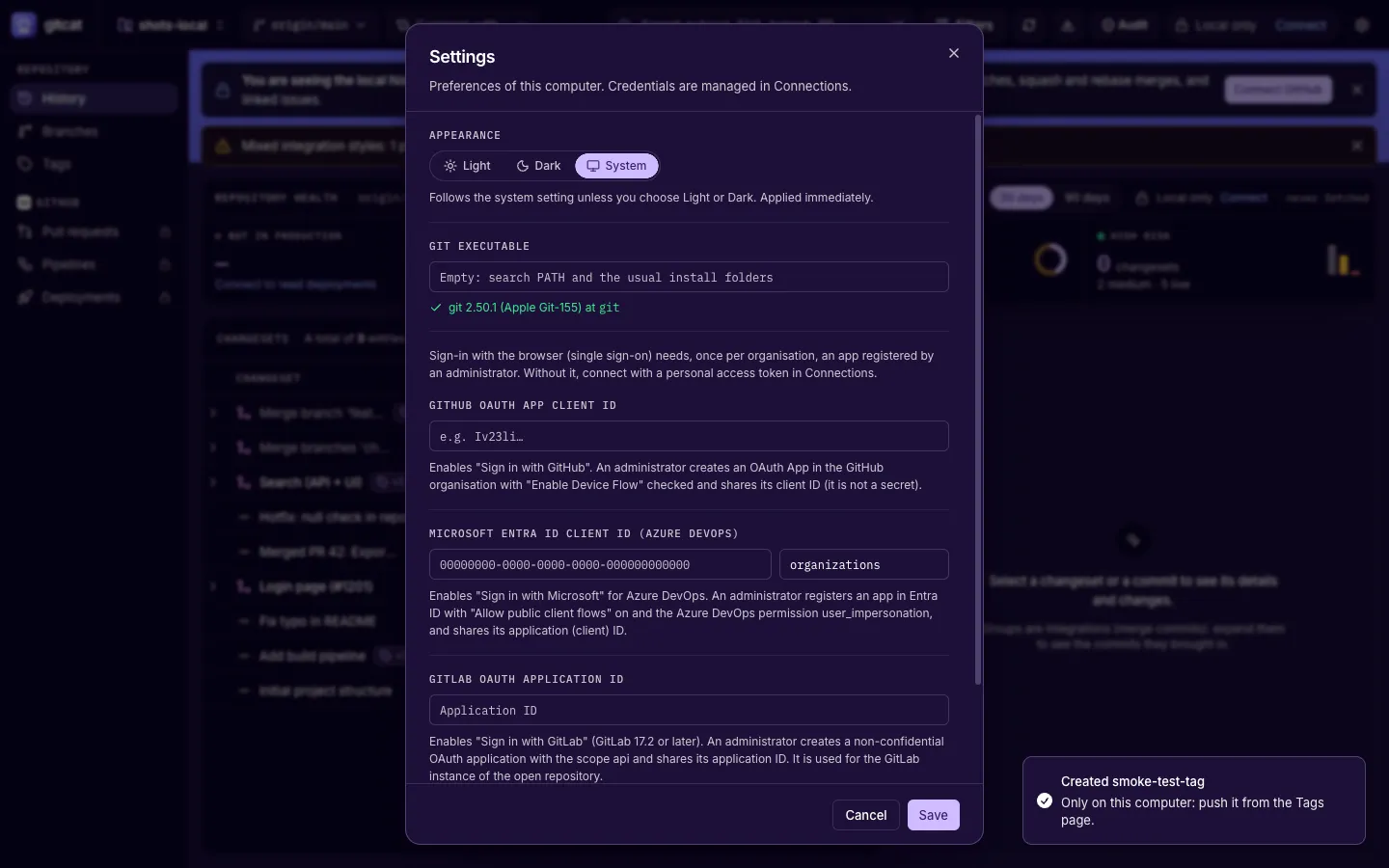
Settings: the client IDs that enable the browser sign-ins.
If your organisation restricts access by OAuth Apps, an owner may need to approve the app before its repositories can be read.
Environment variables
| Variable | Purpose |
|---|---|
MERGECAT_GITHUB_CLIENT_ID | OAuth App client ID for Sign in with GitHub. Fills the setting when it is empty. |
MERGECAT_GITHUB_API_URL, MERGECAT_GITHUB_GRAPHQL_URL | GitHub REST and GraphQL endpoints, used for tests (GitHub Enterprise later). |
All variables are listed in Configuration.
Troubleshooting
| Symptom | What to do |
|---|---|
| Sign in with GitHub is disabled | Enter the OAuth App client ID in Settings, or use the GitHub CLI or a token. |
The GitHub CLI (gh) is not installed or not on PATH. | Install the GitHub CLI, or use another sign-in method. |
The GitHub CLI is not signed in. Run "gh auth login" first. | Run gh auth login in a terminal, then try again. |
The organisation that owns … requires SSO authorisation for this token. | Authorise your personal access token for the organisation’s SSO at the link in the message (on GitHub: Settings › Developer settings › Personal access tokens, Configure SSO). |
Repository … not found on GitHub, or the account has no access to it. | Check that your account can see the repository; the organisation may need to approve the app or the token. |
GitHub rejected the saved sign-in (…). Sign in again in Connections. | The token was revoked or expired: disconnect and sign in again. |
API rate limit reached; it resets at … | Wait until the time shown, then refresh. |
| The repository is on GitHub Enterprise Server | Not supported yet: its remotes are not recognised, and a github.com connection does not apply to it. |